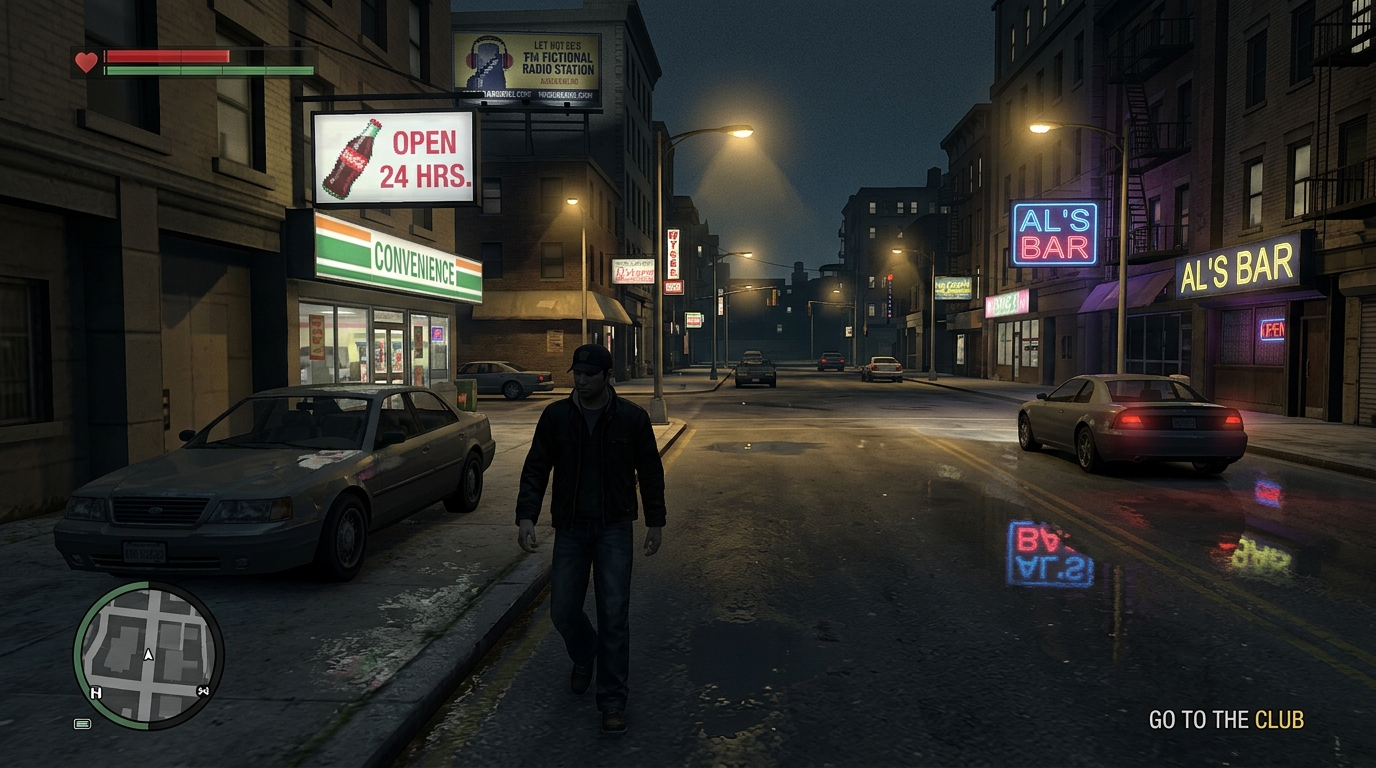
Vice City Graphics Guide
LAUNCH: FALL 2026 ENGINE: ROCKSTAR RAGE 9 ✓ VERIFIED DETAILS

GTA 6 Graphics

A clear, honest breakdown of how GTA 6 will look and run on PS5, PS5 Pro, Xbox, and PC. Verified against official Rockstar trailers, patent filings, and expert analysis.

Officially Confirmed
Tested by Experts
Patent & Technical Analysis
Quick Overview
NEXT-GEN
Consoles PS5, Xbox Series X|S
Enhanced Model PS5 Pro (AI 4K Upscaling)
Game Engine Rockstar RAGE 9
Lighting & Reflections Full Real-Time Ray Tracing
PC Release Expected 2026–2027
Information Status Verified & Tested
Fast Facts Summary

Key Facts & Graphics Summary

At-a-glance guide to frame rates, graphics technology, launch platforms, and picture quality.

Updated for Fall 2026 Launch Window
Frame Rates & Smoothness Expected Standard
30 FPS Locked Standard • 40 FPS on 120Hz TVs

PlayStation 5 and Xbox Series X will run GTA 6 at a steady, locked 30 FPS for the sharpest visuals. If you have a 120Hz TV, a 40 FPS mode can make the game feel noticeably smoother. A 60 FPS mode is unlikely on base consoles due to the heavy city and crowd simulation.

Lighting & Reflections Confirmed in Trailer
Real-Time Ray Tracing & Mirror Reflections

GTA 6 uses real-time ray tracing instead of flat, painted-on lighting. Car mirrors, chrome bumpers, and wet puddles accurately reflect cars, trees, and buildings from every angle—even objects behind or above you.

Lighting Tech: Ray Tracing Deep Dive →
Game Technology Rockstar Engine
Rockstar RAGE 9 Engine

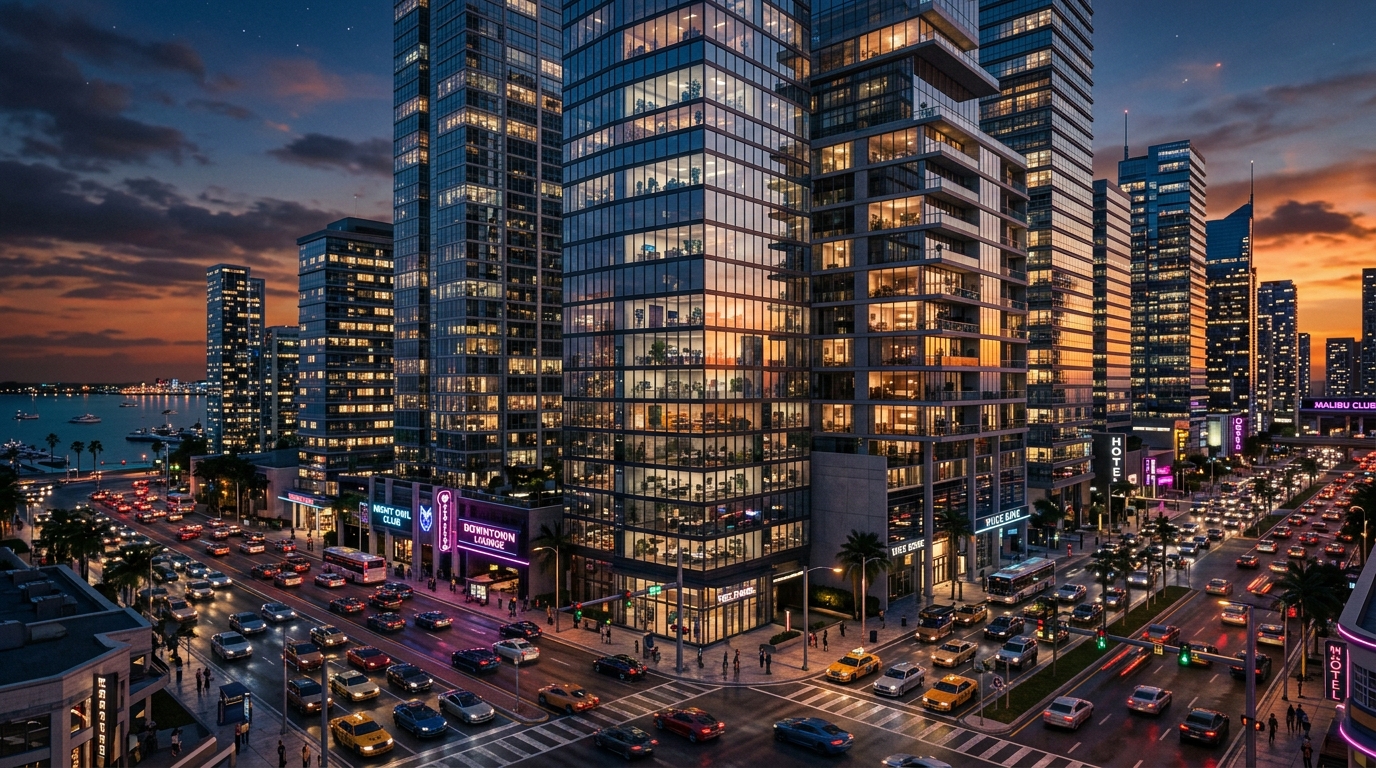
The upgraded game engine brings Leonida to life with dense grass, swaying trees, realistic crowd reactions, and 3D rooms inside skyscrapers that shift perspective naturally as you drive past.

Launch Consoles Officially Confirmed
PS5 • PS5 Pro • Xbox Series X|S (Fall 2026)

GTA 6 launches in Fall 2026 on PlayStation 5 and Xbox Series X|S. The PS5 Pro benefits from Sony's AI upscaler for a cleaner 4K image, while the smaller Xbox Series S runs at a slightly reduced resolution.

PC Release Date Expected Timeline
Expected 2026–2027 (12–18 Months After Consoles)

Rockstar historically releases the PC version 12 to 18 months after consoles (GTA 5 took 18 months; Red Dead Redemption 2 took 12 months). The PC release will support AI image sharpeners like DLSS and ultra-wide monitors.

Hardware Guide: PC Requirements Guide →
Loading & Storage Fast SSD Required
Instant SSD Loading (No Loading Screens)

Old spinning hard drives are no longer supported. GTA 6 streams the world at over 5,000 MB per second directly from fast NVMe SSDs, virtually eliminating loading screens and pop-in while driving fast.

What You'll Find on This Site

A clear guide to how GTA 6 looks and runs, how its technology works, and what hardware you need to play it.

1. Tested Performance
Clear resolution numbers and frame rates based on real gameplay footage and expert analysis.
2. How the Engine Works
Simple breakdowns of the game engine, lifelike lighting, detailed crowds, and realistic reflections.
3. TV & Console Advice
Help choosing the right TV or monitor and deciding whether the PS5 Pro is worth the upgrade.
4. PC Specs & Tips
Expected PC requirements, smooth graphics settings, and tips for fast loading.

Console Graphics Modes: 30 FPS vs. 60 FPS Explained

A side-by-side comparison of graphics modes, image sharpness, lighting effects, and best TVs for PS5 and Xbox.

← Swipe table horizontally to inspect all metrics →
Graphics Mode Target Frame Rate Resolution & Sharpness Lighting & Reflections Recommended TV / Screen Status
Quality Mode
Maximum visual detail with full ray-traced lighting and reflections
30 FPS Locked
Rock-solid stability
Sharp 4K Output
Scaled from 1440p–1800p
Full Ray Tracing
Bouncing light + mirror reflections
Any 4K TV or Monitor (60Hz / 120Hz) Expected Standard
Performance Target
Faster gameplay with reduced detail in busy city areas
60 FPS Target
Challenging for console processor
Dynamic 1080p–1440p
Sharpened to 4K
Reduced Ray Tracing
Simplified reflections & lighting
High-Refresh TV with VRR (HDMI 2.1) Unconfirmed / Challenging
Balanced 40 FPS Mode
The sweet spot for smoothness on 120Hz TVs
40 FPS Locked
Noticeably smoother than 30 FPS
Near-4K Sharpness
Retains high visual quality
Ray Tracing Enabled
Keeps realistic lighting & reflections
120Hz TV Required (HDMI 2.1) Likely Option
PlayStation 5 Pro Enhanced
Sony's smart AI upscaler (PSSR) and stronger graphics chip
60 FPS Target or 40 FPS Ultra
Smoother frame rates
Crisp AI 4K Output
Clean edges and less blur
Enhanced Ray Tracing
Cleaner reflections & softer shadows
4K 120Hz OLED TV with VRR Expected on Pro
Xbox Series S Mode
Tailored for the smaller, budget-friendly console
30 FPS Locked
Solid, stable frame rate
1080p / 1440p Output
Clean picture for smaller screens
Standard Lighting
Ray tracing disabled to save memory
1080p or 1440p TV / Monitor Expected Standard
Frame rates: 30 FPS is standard for detailed open worlds. 40 FPS is noticeably smoother on 120Hz TVs. 60 FPS requires double the processing speed.
Read the full Console Graphics Modes Guide →

Why 60 FPS is Hard: The Console Processor Limit

Many players assume that getting a game to run at 60 FPS is just a matter of dropping the resolution from 4K down to 1080p. In modern open-world games, it doesn't work that way.

Every frame is split between two chips working together: the main processor (CPU) and the graphics chip (GPU). The processor manages the living world—moving hundreds of pedestrians, simulating traffic, calculating car physics, and loading new areas. The graphics chip paints the pictures on your screen. Dropping the resolution gives the graphics chip an easier job, but it does nothing to help the main processor.

In GTA 6, the processor has to manage massive crowds, detailed car handling, and a giant living city. To hit 60 frames per second, the processor has only 16 milliseconds per frame to finish all these calculations. If heavy crowds or traffic take longer than that, the game cannot maintain 60 FPS—no matter how low you drop the graphics settings.

How Time is Spent per Frame (16.6ms vs 33.3ms)
60 FPS Target Window 16.6 ms Total Time
Living World (11ms)
Graphics (5ms)
Almost no room to spare. Heavy crowds or explosions can cause frame drops.
30 FPS Standard Window 33.3 ms Total Time
Living World (11ms)
Ray Traced Graphics (15ms)
Safe Buffer (7.3ms)
Plenty of breathing room for smooth performance and realistic lighting.
What this means: The PS5 Pro has a much more powerful graphics chip, but its main processor is only about 10% faster. Because managing the living city is the hardest job for the processor, running at 60 FPS in dense downtown areas remains very challenging even on upgraded hardware.
Interactive Performance Tool

Interactive Performance Calculator

See expected frame rates, sharpness, and picture smoothness for your console or PC setup.

Simulated from official trailer and hardware data
Select Platform or PC Tier:
PlayStation 5 (Standard Model)

Standard PlayStation 5 console with ultra-fast SSD storage.

Target Frame Rate
30 FPS Locked (Quality) / 40 FPS (120Hz TVs)
Rock-solid 30 FPS with smooth world simulation
Resolution & Sharpness
Sharp 4K Output (Scaled from 1440p)
AMD FSR Smart Upscaler
Ray Tracing & Lighting
Real-Time Ray Tracing & Reflections
Hardware ray tracing for bouncing lights and mirrors
Recommended Screen
4K TV or Monitor (60Hz / 120Hz with VRR)
VRR helps smooth out busy downtown traffic scenes
How Smoothly the Game Runs (Frame Time Budget): Total: 33.3 ms (30 FPS Window)
Living World (11ms)
Graphics (15ms)
Safe Buffer (7.3ms)
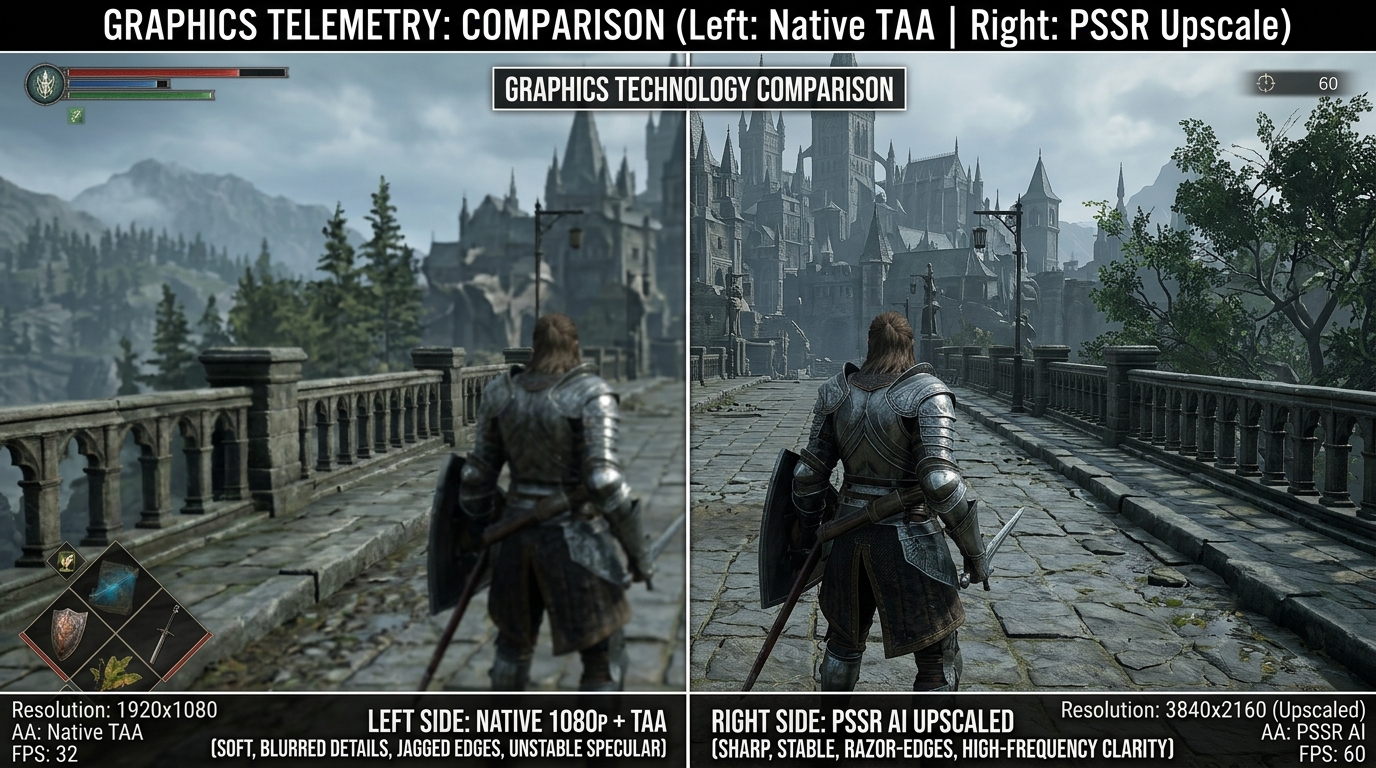
Standard vs AI Upscaling Comparison
COMPARISON: STANDARD VS AI UPSCALING
Performance Summary TESTED ESTIMATE

The base PS5 handles GTA 6's ray tracing comfortably at 30 FPS. While 60 FPS in busy city traffic is unlikely due to the console processor, players with 120Hz TVs will enjoy a smooth 40 FPS mode.

Lighting & Reflection Technology

Ray Tracing: Realistic Lighting & Mirror Reflections

Rockstar has moved away from older flat reflections to real ray tracing, where light bounces naturally across the entire world.

Read Ray Tracing Guide →

Interactive Lighting & Reflections Demo

See how rays of light bounce around the scene and create realistic reflections.

Lighting Mode: Real-Time Ray Tracing
Light Rays: 150 active rays/frame
Off-Screen Reflections: 100% Visible (Even Behind Camera)
• Click/drag canvas to move the Neon Light Source
Light Ray Count: 1.5 Rays
Surface Wetness / Smoothness: 0.15 (Wet Glass)
Color Bouncing: Natural Light Bounces Active
Image Clean-up: Clean & Smooth
Edge Cutoff: None (Clean 360° Reflections)
LIGHTING TECH 01 BOUNCING LIGHT

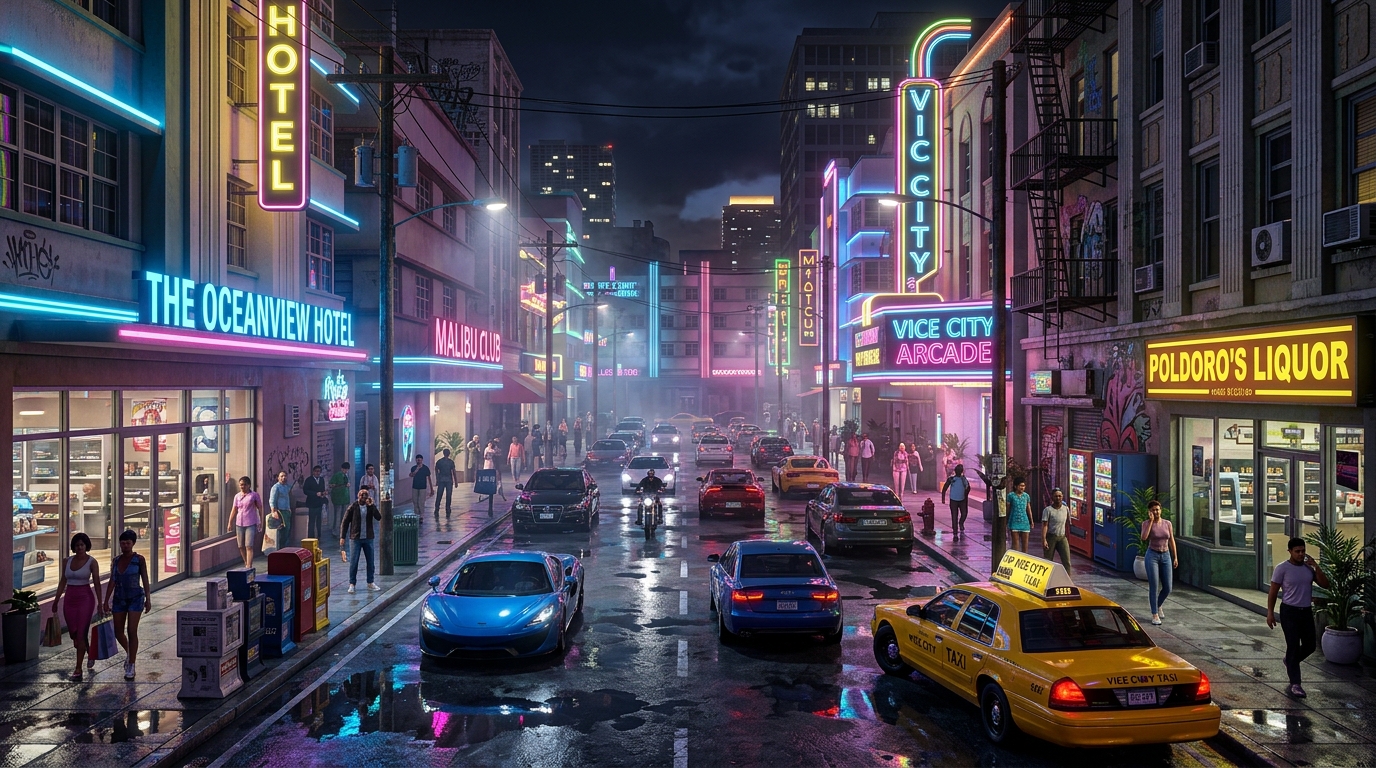
Realistic Bouncing Light

In Vice City, neon signs and headlights don't just glow—they bounce colorful light onto wet streets, concrete walls, and car bodies, naturally brightening shadowy alleyways.

Visual Effect: Natural Ambient Glow
LIGHTING TECH 02 REFLECTIONS

360° Mirror Reflections

Older games could only reflect what was already in front of your camera. In GTA 6, car side mirrors reflect traffic approaching behind you, and puddles reflect trees and clouds from any angle.

Visual Effect: Never Cuts Off
LIGHTING TECH 03 SHADOWS

Natural Soft Shadows

Shadows become softer and more diffuse the farther they get from an object. This grounds pedestrians and cars naturally to the street without harsh, jagged shadow edges.

Visual Effect: Realistic Soft Edges
Natural World & Weather Systems

Ocean Waves, Water Physics & Tropical Weather Systems

How GTA 6 recreates realistic ocean water, underwater sunlight patterns, and dramatic Florida storms in Vice City.

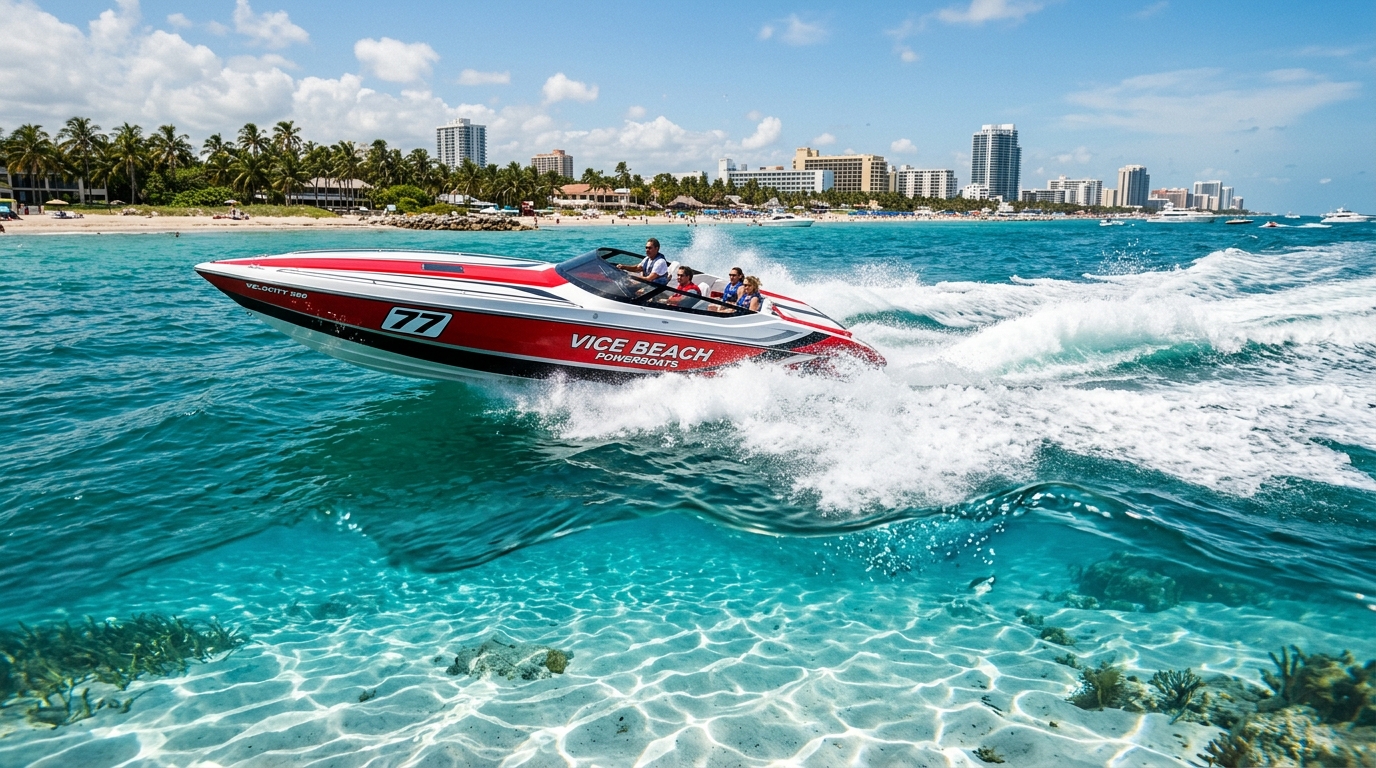
Crystal Clear Water, Boat Wakes & Ocean Swells
REALISTIC WATER & SUNLIGHT PATTERNS

Crystal Clear Water, Boat Wakes & Ocean Swells

The graphics card computes natural wave motion directly, creating realistic whitecaps, shallow waters that reveal the ocean floor, and shimmering sunlight patterns on sandy seabeds.

WATER PHYSICS 01 OCEAN

Natural Ocean Waves & Swells

Waves rise, roll, and crest naturally using smooth graphics card calculations. This delivers realistic deep ocean swells and crashing beach surf without bogging down the game processor.

Handled By: Graphics Card (GPU)
WATER PHYSICS 02 LIGHTING

Clear Water & Dancing Sunlight

Vice City's shallow coastal waters let sunlight shine through to the ocean floor, creating moving networks of bright light patterns dancing across sandbars, reefs, and boat hulls.

Lighting Effect: Underwater Light Ripples
ATMOSPHERE 03 WEATHER

Tropical Mist, Humidity & Storms

Florida's humid climate produces thick morning fog and sudden tropical downpours. Strong storm winds physically whip palm trees around and kick up dense ocean spray.

Weather System: Volumetric 3D Fog & Rain
SURFACE EFFECTS 04 BEACH

Wet Sand & Fading Beach Foam

As ocean waves wash across Vice Beach, the sand darkens and becomes shiny and reflective like a mirror, while white foam slowly fizzes and dries under the hot sun.

Surface Detail: Dynamic Wet Surfaces
Comparison to Earlier Games: Red Dead Redemption 2 used basic surface tricks for water reflections that disappeared at certain angles. GTA 6 combines true physical wave motion with full ray tracing, producing reflections that look right from any viewpoint.
Read Water Reflections Guide →
Trailer 1 Visual Breakdown

Graphics Breakdown: What We Learned from Trailer 1

A close look at actual trailer footage showing realistic Florida mist, lifelike character skin, shiny car paint, and dynamic ocean waves.

SCENE: FLORIDA SWAMPLANDS FRAME #2460 (0:41)
Realistic Swamp Mist & Sunlight Shafts
Realistic 3D Mist & Sunbeams
Fog thickens and thins naturally with humidity
FEATURE: 3D FOG

Realistic Swamp Mist & Sunlight Shafts

Sunlight filters naturally through humid morning air and swamp dust, casting soft, believable light shafts through trees and tall grass without relying on fake painted lighting.

Lighting: Real-time 3D volumetric fog GTA 6 ENGINE
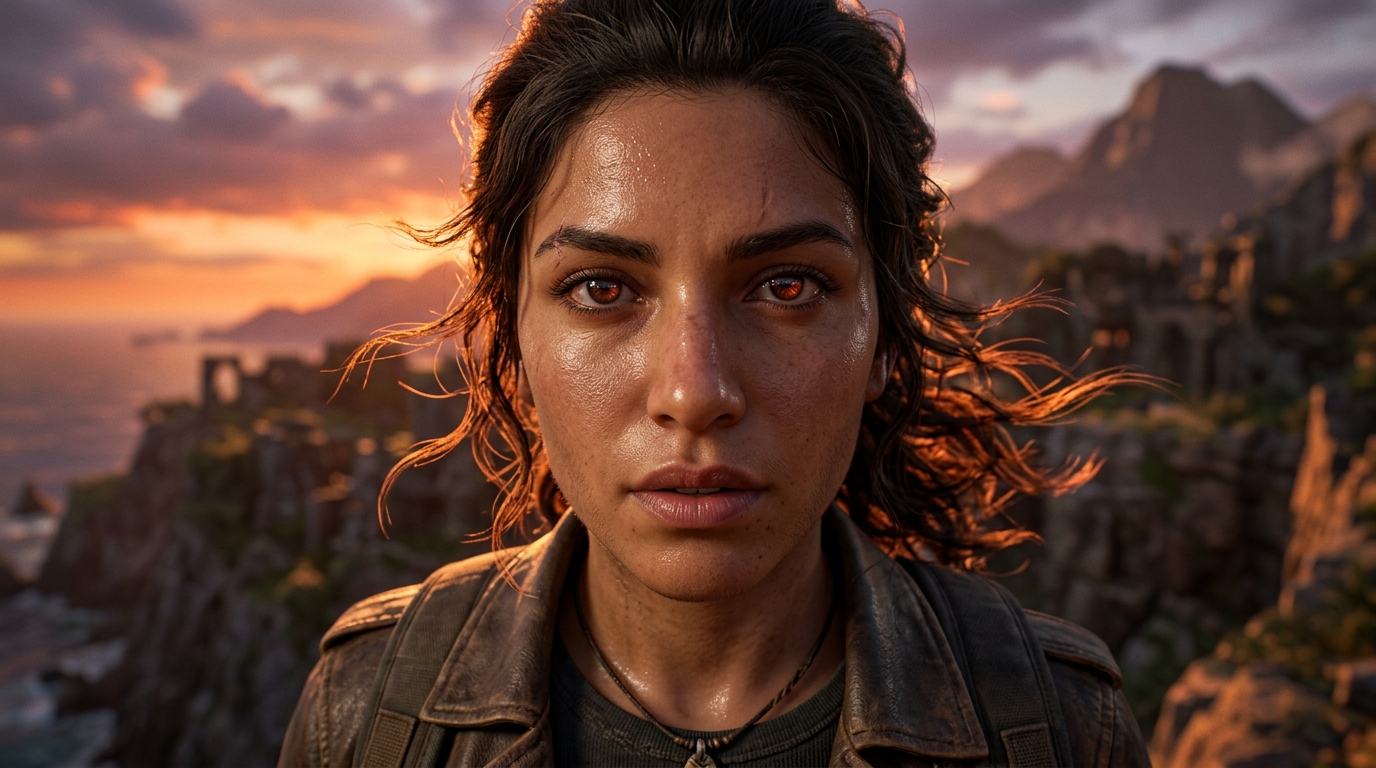
SCENE: MOTEL CLOSE-UP FRAME #1080 (0:18)
Lifelike Skin Glow & Hair Physics
Natural Skin Light Glow
Light softens naturally through skin tissue
FEATURE: SKIN GLOW

Lifelike Skin Glow & Hair Physics

Character models look alive because light gently penetrates skin tissue—such as ears, cheeks, and fingers—softening harsh shadows, while individual strands of hair sway and blow in the wind.

Detail: Realistic skin lighting and strand hair HIGH DETAIL
SCENE: OCEAN DRIVE BOULEVARD FRAME #1980 (0:33)
Shiny Car Paint & Mirror Reflections
Two-Layer Car Paint
Mirror clear-coat over metallic paint
FEATURE: CAR REFLECTIONS

Shiny Car Paint & Mirror Reflections

Cars feature realistic two-layer paint with metallic specks beneath a glass-like clear topcoat. Colorful neon signs reflect smoothly across curved bodywork, while car tires compress realistically against street curbs.

Reflections: Full 360-degree ray-traced reflections REAL-TIME
SCENE: VICE CITY COASTLINE FRAME #3120 (0:52)
Realistic Ocean Waves & Spreading Boat Wakes
Natural Ocean Waves & Wakes
Whitecap foam and boat wake dispersion
FEATURE: WATER PHYSICS

Realistic Ocean Waves & Spreading Boat Wakes

Ocean water behaves naturally with white sea foam on crashing waves, clear water near the beach, and realistic wake trails behind speeding boats that roll and wash onto the shore.

Calculated By: Smooth graphics card simulation NEXT-GEN WATER
World Tour & Graphics Showcase

Leonida & Vice City: Landmark Visual Showcase

Explore how next-gen graphics bring different parts of the world to life, from neon beaches to foggy swamplands.

REGION: VICE CITY METRO LOCATION #01
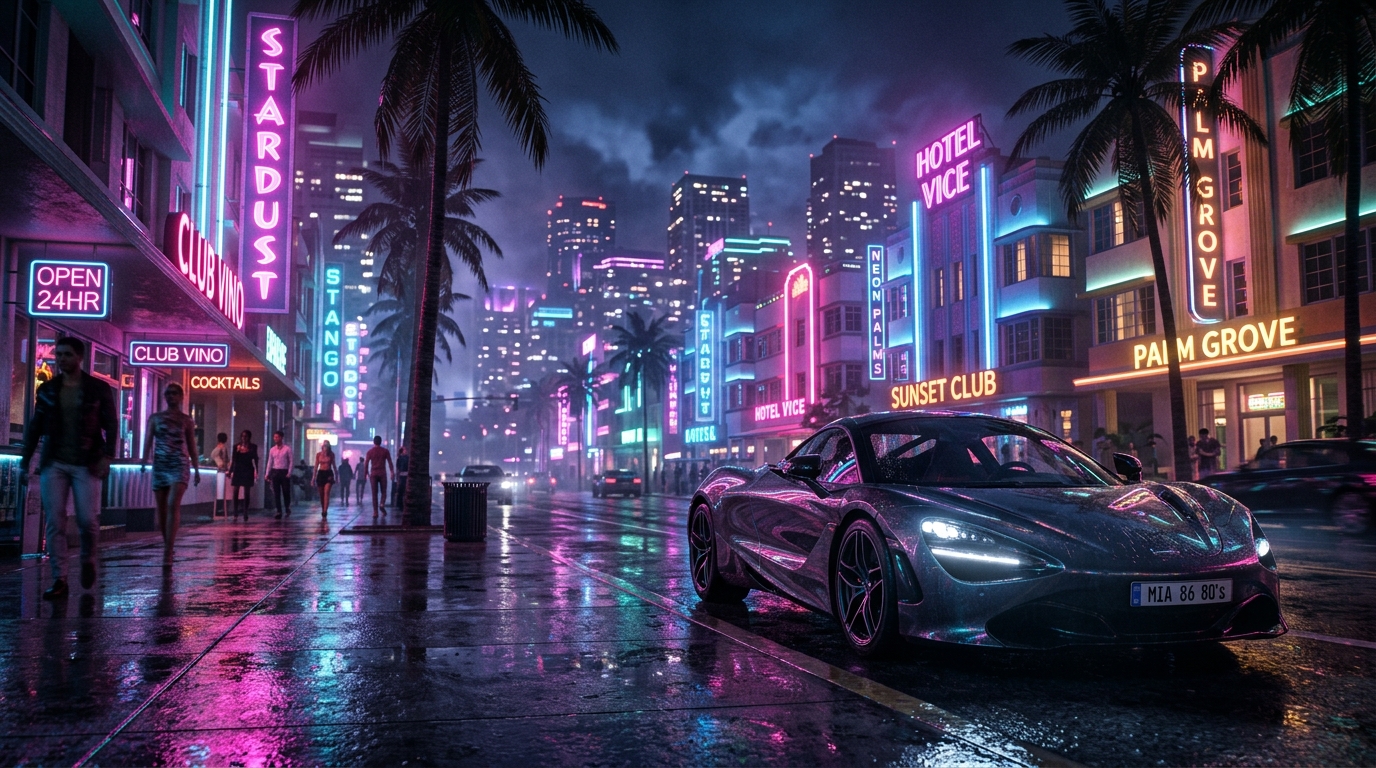
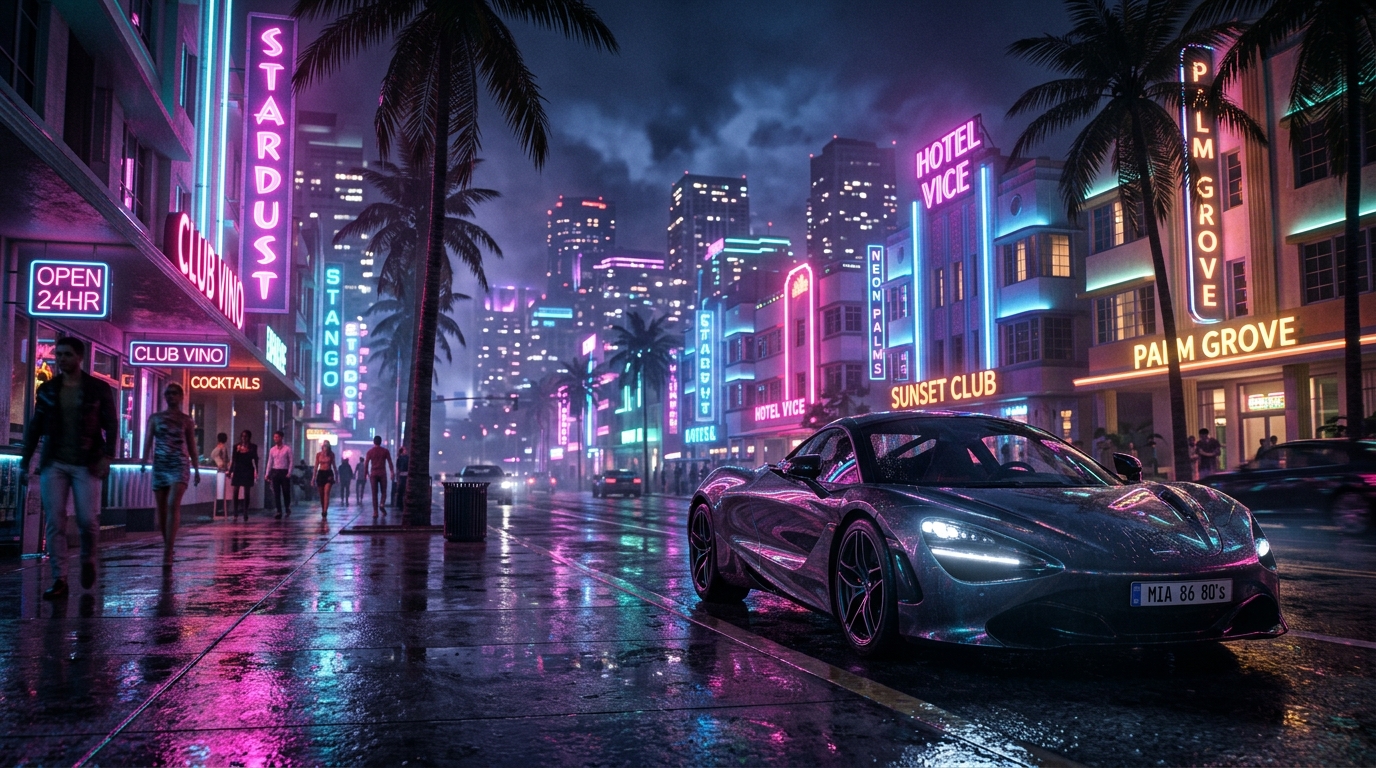
Ocean Drive: Glowing Neon Lights & Wet Pavements
Ocean Beach Neon Strip RAY TRACING + GLOSS

Ocean Drive: Glowing Neon Lights & Wet Pavements

At night, colorful neon hotel signs bounce realistic light onto passing cars, sidewalk crowds, and rain-soaked asphalt. Instead of looking like flat painted colors, light gently glows and reflects into the surrounding environment.

Key Visual Effect: Real-Time Bouncing Light
REGION: FLORIDA SWAMPLANDS LOCATION #02
Leonida Everglades: Dense Fog & Swaying Sawgrass
Leonida Everglades Wetlands 3D SUNLIGHT & TREES

Leonida Everglades: Dense Fog & Swaying Sawgrass

Morning sunlight cuts through misty cypress trees and dense sawgrass. Moving airboats kick up realistic spray while dynamic fog rolls naturally across wetlands without repeating patterns.

Atmospheric Tech: Volumetric Weather & Foliage
REGION: COASTAL RESORT LOCATION #03
Vice Beach: Crystal Shallows & Crowded Sands
Vice Beach Shoreline BEACH & WATER

Vice Beach: Crystal Shallows & Crowded Sands

Hundreds of unique beachgoers populate the shoreline under direct midday sunlight. Clear water lets you see through to sandy ripple marks below, while breaking surf leaves realistic seafoam.

Water System: Realistic Ocean Waves & Sunlight
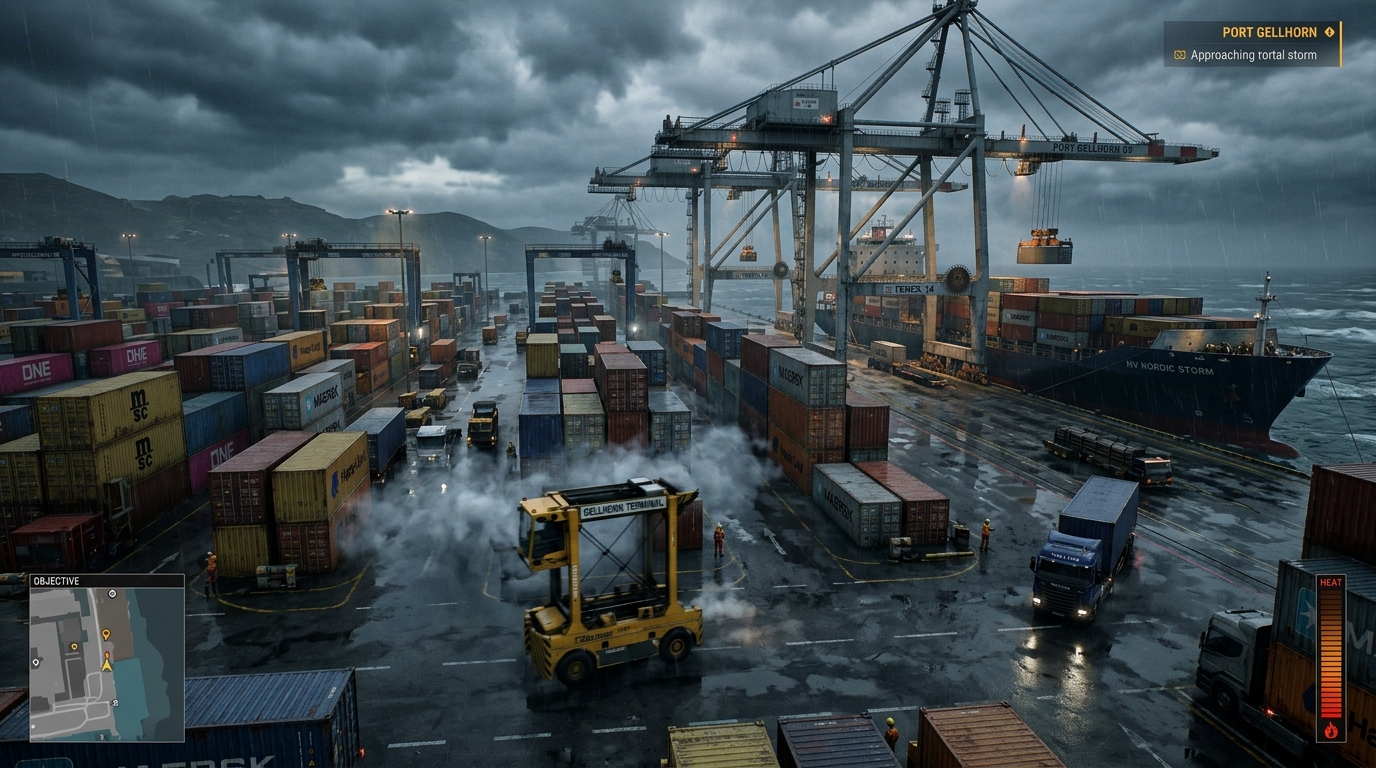
REGION: PORT GELLHORN LOCATION #04
Port Gellhorn: Industrial Grime & Wet Asphalt
Port Gellhorn Industrial Hub FACTORY & INDUSTRY

Port Gellhorn: Industrial Grime & Wet Asphalt

Heavy industrial zones feature oil slicks, rusted corrugated metal, and wet asphalt that reflect high-powered halogen floodlights with realistic surface roughness and soft shadows.

Surface Detail: Realistic Surface Wetness & Shadows
10+ Years of Visual Progress

Generational Leap: GTA 5 (2013) vs. GTA 6 (2025)

Comparing the numbers side-by-side: from the older PS3/PS4 graphics of GTA 5 to the brand new ray-traced engine powering GTA 6.

Read 12-Point Comparison →

Interactive Comparison: Street Lighting & Reflections

Drag the slider horizontally to compare the older flat lighting of GTA 5 against the real-time ray-traced light and reflections of GTA 6.

LIVE COMPARISON
Grand Theft Auto V (2013)
Grand Theft Auto VI (2025)
Grand Theft Auto V (2013)
Direct-feed in-engine telemetry Spatial BVH 100% Ray Traversal
Side-by-Side Graphics Comparison 10-Year Technology Leap
Graphics Feature Grand Theft Auto V (2013) Grand Theft Auto VI (Next-Gen) Improvement
Character Detail & Models ~15,000 polygons (PS3 / PS4 era) 100,000+ polygons per person ~7x to 10x more detail
Lighting & Sunlight Bouncing Pre-calculated flat lighting (cannot bounce live) Real-time ray tracing (light bounces off surfaces) Realistic natural lighting
Mirror & Window Reflections Reflections vanish when off-screen Full 360° reflections all around the camera True mirror reflections
Crowds & Beach Density Repeated character models and simple behavior Unique body shapes, skin tones & independent routines 5x more people on screen
World Loading Speed Slow spinning disk loading (~50–100 MB/s) Instant NVMe SSD streaming (5,500+ MB/s) Over 50x faster loading (zero pop-in)
Next-Gen Engine Technology

Inside the GTA 6 Game Engine

How Rockstar's updated game engine renders hyper-detailed worlds, streams cities smoothly from fast SSDs, and lights up Vice City with realistic ray tracing.

Read Full Engine Guide →
How the Game Engine Builds Each Frame

GTA 6 Graphics Engine: How Each Frame is Rendered

Click any stage below to see how graphics cards load, process, light, and display each frame in GTA 6.

STAGE 01: FAST SSD LOADING DirectStorage & Console SSD Tech

Instant World Streaming from Ultra-Fast SSDs

By loading textures and game models directly from modern high-speed SSDs straight into graphics memory, GTA 6 avoids slow loading screens and CPU bottlenecks. This lets you drive at top speed down Ocean Drive without buildings or cars suddenly popping into view.

LOADING SPEED 5.5 GB/s Loading Speed
PROCESSOR LOAD < 2% CPU Usage
WORLD STREAMING Zero Pop-in
Hardware Target PS5, XSX|S, PC SSDs
Graphics Memory Pool: ~4.5 GB VRAM Pool
Work Pipeline: Direct Memory Pipeline
Rockstar Patent Tech: Instant Asset Decompression
Loading Delay: Near Instant (< 1ms)
ENGINE FEATURE ENVIRONMENT DETAIL

Handling Millions of Objects (Mesh Shaders)

Instead of slowing down the console's main processor, the graphics card directly manages detailed objects like individual blades of swamp grass, tree branches, and decorative building trims. This keeps the game running smoothly even in dense scenes.

Technology: DirectX 12 Mesh Shading
ENGINE FEATURE BUILDING INTERIORS

3D Window Interiors (Parallax Mapping)

Skyscraper and hotel windows show believable, furnished 3D rooms inside. As you drive or fly past, the rooms shift angle naturally instead of looking like flat, painted wallpaper.

Technology: 3D Procedural Rooms
ENGINE FEATURE LIFELIKE SURFACES

Realistic Materials & Weather Reactions

Every material in Vice City responds naturally to light and weather. Wet beach sand turns darker and mirror-reflective, storm winds bend palm trees realistically, and car paint sparkles under Florida sunlight.

Technology: Physically-Based Materials

PC System Requirements & Performance Targets

Estimated PC hardware targets based on console power, memory needs, and past Rockstar PC releases.

Status: Estimated Target
Hardware Tier Target Resolution & Framerate Graphics Card (GPU) Processor (CPU) Memory & Storage
Minimum Requirements 1080p at 30 FPS (Low Settings) NVIDIA RTX 2070 / AMD RX 5700 XT Ryzen 5 3600 / Intel i5-10400F 8 GB VRAM • Fast SSD Required
Recommended Specs 1440p at 60 FPS (High Settings) NVIDIA RTX 4070 / AMD RX 7800 XT Ryzen 7 7800X3D / Intel i7-13700K 12 GB VRAM • Fast NVMe SSD
Ultra 4K Ray Tracing 4K at 60+ FPS (Maximum Settings) NVIDIA RTX 4090 / RTX 5090 Ryzen 9 9950X / Intel i9-14900K 24 GB VRAM • DLSS Frame Generation
PC Release Note: Rockstar typically launches on consoles first, then spends extra time optimizing the PC release. When the PC version arrives, expect full support for NVIDIA DLSS, AMD FSR, ultra-wide monitors, unlocked frame rates, and fast SSD loading.
Open PC Requirements Guide →
Interactive Benchmarking & Hardware Utilities

GTA 6 Graphics & Hardware Tools Suite

Test your PC build, evaluate PS5 Pro upgrade value for your TV, simulate VRAM consumption, and inspect visual fidelity frame-by-frame.

View All 4 Tools →
PC Graphics & Future-Proofing

PC Graphics Features: Upscaling, Extra Frames & Fast Loading

An easy guide to PC technologies that improve image sharpness, boost frame rates, and eliminate loading screens.

GRAPHICS TECH 01

NVIDIA DLSS & Ray Reconstruction

DLSS uses smart AI on RTX graphics cards to boost frame rates while keeping the image crisp and sharp. Frame Generation inserts extra AI-created frames for silky-smooth motion, while NVIDIA Reflex keeps controls responsive.

Feature: AI Sharpening + Extra AI Frames
GRAPHICS TECH 02

AMD FSR & Intel XeSS

Universal upscalers that work on almost any graphics card (AMD Radeon, Intel Arc, and older GeForce GPUs). They boost performance and add extra frames without locking you into proprietary hardware.

Feature: Universal Frame Rate Boost
STORAGE SPEED 03

DirectStorage Fast SSD Loading

Allows modern high-speed NVMe SSDs to stream world textures directly into graphics card memory. This eliminates loading screen stutter and matches the fast 5.5 GB/s loading speeds seen on PS5.

Feature: No Loading Screen Stutter
GRAPHICS MEMORY 04

VRAM Needs & Texture Quality

8 GB graphics cards will likely need Medium texture settings. 12 GB is the recommended sweet spot for 1440p resolution with ray tracing, while 16 GB to 24 GB buffers are ideal for maximum 4K settings.

Feature: 8 GB Minimum • 12–16 GB Recommended
PC Tuning Advice: Read our complete guide to adjusting individual settings (like Fog Quality, Reflections, and Ray Tracing) to get a smooth, locked 60+ FPS on your setup.
Open Best PC Settings Guide →

Platform Comparisons: What to Expect on Each Console

Comparing how GTA 6 is expected to look and run across PS5, Xbox Series X, PS5 Pro, and Xbox Series S.

Console Comparison Guide →
CONSOLE COMPARISON

PlayStation 5 vs. Xbox Series X

PS5 and Xbox Series X have very similar hardware. While Xbox Series X has a slight graphics edge on paper, both consoles share virtually the same processor and memory speeds. In real gameplay, expect nearly identical image quality and performance on both systems.

Expected Difference: Practically Identical Experience
UPGRADE GUIDE

PS5 Pro: Is It Worth It for GTA 6?

PS5 Pro features a 67% faster graphics chip and Sony's smart AI upscaler (PSSR). This will provide noticeably sharper 4K picture quality and richer ray-traced reflections. However, because its main processor is only 10% faster, it may still target 30 to 40 FPS in crowded downtown areas.

Best For: Gamers with 4K OLED TVs
PAST ROCKSTAR GAMES

GTA 6 vs. Red Dead Redemption 2

Red Dead Redemption 2 pushed last-generation consoles to their absolute limits with clever visual tricks. GTA 6 leaves those old tricks behind, using full real-time ray-traced light bounces and instant SSD loading with no loading screens.

Biggest Upgrade: Real-Time Light & Instant Loading
BUDGET CONSOLE

What to Expect on Xbox Series S

The compact Xbox Series S has less memory and a smaller graphics chip. To keep a smooth 30 FPS, expect a lower display resolution (around 900p upscaled), simpler reflections without full ray tracing, and slightly smaller street crowds.

Trade-offs: Lower Resolution & Simpler Lighting
Quick Terminology Reference

Graphics Terms Explained: Quick Reference

Simple, everyday explanations of key graphics terms and features used in GTA 6.

View Complete 40+ Term Glossary →
RTGI Lighting
Ray-Traced Global Illumination (Bouncing Light)

A realistic lighting technique where light beams physically bounce off walls, roads, and neon signs to illuminate nearby areas naturally—just like in real life.

BVH Reflections
360° Ray Tracing World Map

A 3D map that tracks every building, car, and object around the camera. This lets mirrors and puddles show accurate reflections of things behind you.

Froxels Weather
3D Volumetric Mist & Fog

A 3D grid system used to render realistic morning mist, swamp humidity, and bright sunbeams streaming through weeping willow trees.

PSSR Upscaling
PlayStation Spectral Super Resolution (AI Upscaler)

Sony's smart AI upscaler built into the PS5 Pro. It takes a lower-resolution game picture and reconstructs it into a crisp, sharp 4K image.

Mesh Shaders Game Engine
Graphics Card World Rendering

A modern graphics technique that lets the graphics card manage millions of small objects (like grass blades, trees, and pebbles) directly, avoiding CPU slowdowns.

SSSS Characters
Lifelike Skin Glow (Subsurface Scattering)

An effect that simulates light gently penetrating skin tissue (like ears, cheeks, and fingers), softening shadows and making character faces look truly alive.

DirectStorage Loading & SSD
Ultra-Fast SSD Streaming

Technology that loads game worlds directly from high-speed SSDs straight into graphics memory, eliminating loading screens and pop-in.

Frame Pacing Smoothness
Even Frame Timing (Stutter Prevention)

Ensuring each new picture is delivered to your TV with exact, even timing. Even at 30 FPS, smooth frame pacing prevents annoying micro-stutters.

Latest Graphics Guides & Analysis

Regularly updated articles covering hardware tests, patent discoveries, trailer breakdowns, and console performance.

View All Guides →
Editorial Standards & Trust

Our Research Standards & How We Verify Information

We use a clear 3-tier system so you always know what is officially confirmed, tested by experts, or an educated estimate.

Read Editorial Standards →
Tier 1: Officially Confirmed

Official Rockstar Announcements & Patents

Sourced directly from official Rockstar Games announcements, Take-Two Interactive financial investor calls, and publicly filed patents.

Standard: 100% Verified Official Sources
Tier 2: Tested by Experts

High-Quality Video & Frame Analysis

Frame-by-frame analysis, pixel counting, and ray tracing checks derived from high-bitrate video captures by respected hardware analysts like Digital Foundry.

Standard: Verified Technical Testing
Tier 3: Educated Estimates

Hardware Limits & Release History

Clearly designated estimates based on known console hardware limits, past Rockstar release timelines, and how modern open-world games perform.

Standard: Clearly Labeled Predictions
Corrections Policy: Have you noticed new official information or want to report an update? We review and update our guides within 24 hours of verified disclosures.
Send Us Feedback →

Frequently Asked Questions

Clear, simple answers to the most common questions about GTA 6 graphics, console frame rates, ray tracing, and PC specs.

Will GTA 6 run at 60 FPS on PlayStation 5 and Xbox Series X? +

Rockstar Games has not announced a 60 FPS mode for base consoles. GTA 6 features a massive, living city with hundreds of pedestrians, smart traffic, and detailed car physics. All of these calculations put heavy pressure on the console's main processor. Because of this, simply lowering the resolution does not guarantee 60 FPS. The game is confirmed to target a stable 30 FPS, and may include a smoother 40 FPS mode for players with 120Hz TVs.

Does GTA 6 have ray tracing? +

Yes! The first trailer confirms real-time ray tracing for both lighting and reflections. For example, car side mirrors reflect vehicles and buildings that are behind you, and wet puddles accurately reflect overhead palm trees from any viewing angle.

What game engine powers GTA 6? +

GTA 6 is built on Rockstar Advanced Game Engine 9 (RAGE 9). This new engine lets Rockstar render millions of tiny details like grass and leaves, create detailed 3D rooms visible through skyscraper windows, and simulate realistic lighting on all materials.

When will GTA 6 release on PC? +

Rockstar announced that GTA 6 launches on PS5 and Xbox Series X|S in Fall 2025. Looking at past Rockstar releases—where GTA 5 took 18 months and Red Dead Redemption 2 took 12 months to arrive on PC—a PC version is expected around late 2026 to mid 2027.

Is GTA 6 native 4K or upscaled? +

GTA 6 uses smart upscaling rather than rendering every single pixel natively at 4K. The game renders internally at a slightly lower resolution (around 1440p) and uses advanced sharpening tech (like AMD FSR or Sony's PSSR on PS5 Pro) to produce a crisp, clean 4K image on your screen without sacrificing performance.

Which TV or monitor is best for GTA 6? +

A 4K TV that supports 120Hz refresh rates and Variable Refresh Rate (VRR) through HDMI 2.1 will give you the best experience. This allows you to play in a smooth 40 FPS mode (which feels noticeably faster than 30 FPS) and smooths out any minor slowdowns during busy city scenes.

How does the PlayStation 5 Pro enhance GTA 6 graphics? +

The PS5 Pro features a much more powerful graphics chip and Sony's new AI image sharpener (called PSSR). This means GTA 6 on PS5 Pro will have a sharper 4K picture, cleaner and more realistic reflections, and more stable performance in demanding areas.

What are the expected PC system requirements for GTA 6? +

For basic 1080p gaming at 30 FPS, you will likely need at least an NVIDIA RTX 2070 or AMD RX 5700 XT with 8GB of video memory and a fast SSD. For smooth 1440p gaming at 60 FPS on high settings, we expect you will want an RTX 4070 or RX 7800 XT with 12GB of video memory, a modern 8-core processor, and a fast NVMe SSD.

How do GTA 6 graphics compare to Red Dead Redemption 2 and GTA 5? +

GTA 6 is a massive upgrade over both games. Compared to GTA 5, characters have nearly 10 times more 3D detail, lights bounce naturally instead of being painted on, and the world loads over 50 times faster. Compared to RDR2, GTA 6 adds real-time ray-traced reflections, denser crowds, and much more detailed urban environments.

How does GTA 6 handle water, waves, and tropical storms? +

GTA 6 features completely redesigned water and weather. Ocean waves rise and crash naturally, boats leave realistic foaming wakes, and shallow waters let sunlight ripple through to the sand below. Tropical storms bring heavy 3D rain, wind, and mist that reacts dynamically to sunlight.

Explore Every Graphics Topic

Categorized directory of all 24 graphics guides and topic hubs across the site.