consoles • • Technical Analysis by GTA 6 Graphics Editorial Team
GTA 6 Performance vs Quality Mode: Will it Run at 60 FPS?
A clear guide explaining why 60 FPS is challenging for GTA 6 on PS5 and Xbox Series X, how CPU limits work, and what graphics modes to expect.
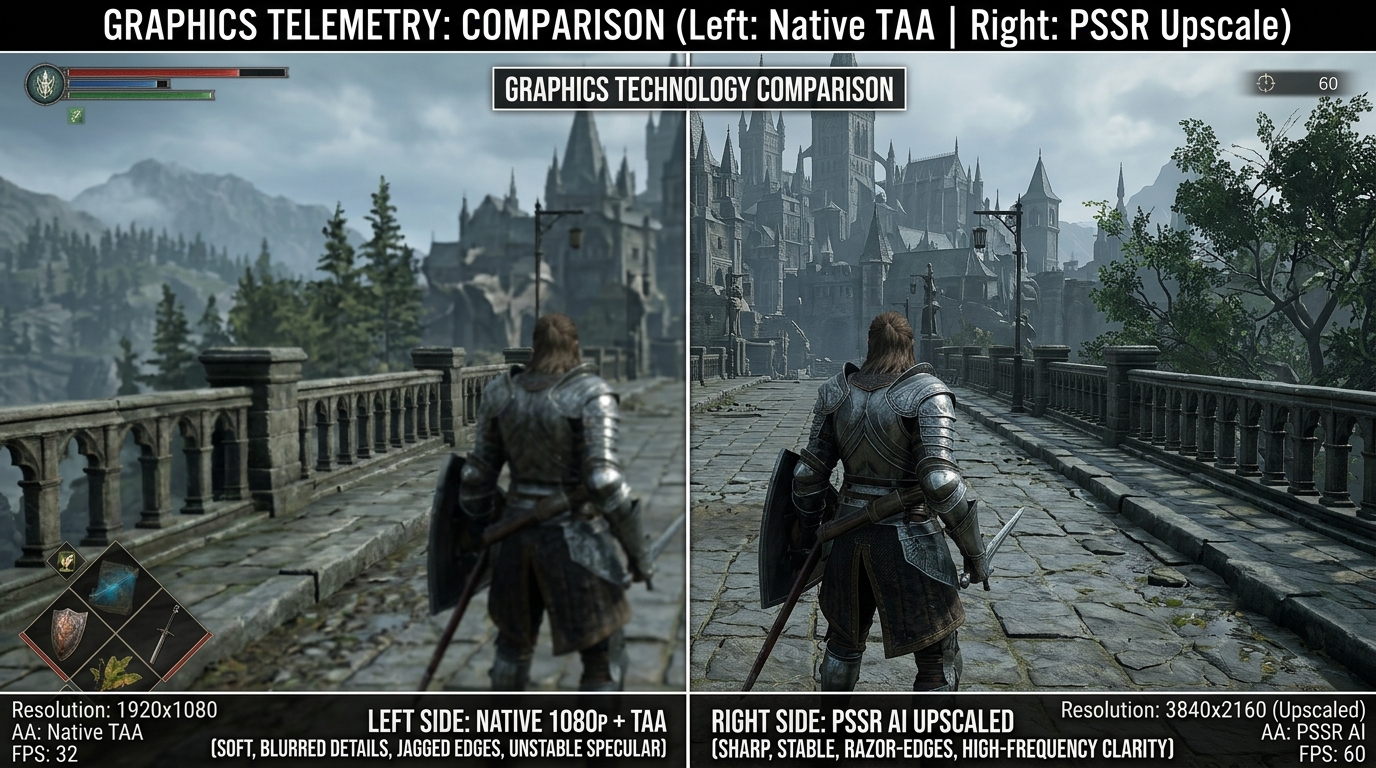
IN-ENGINE DIRECT-FEED TELEMETRY
RAGE 9 SPECIFICATION
GTA 6 Performance vs Quality Mode: Will it Run at 60 FPS?
One of the biggest questions gamers have about Grand Theft Auto VI is simple: will it run at 60 FPS on consoles, or will it be locked to 30 FPS? Many modern games give you a choice between a “Quality Mode” (sharper picture at 30 FPS) and a “Performance Mode” (smoother motion at 60 FPS). But GTA 6 has an extraordinarily complex living world that pushes console processors to their absolute limits.
[!IMPORTANT] Direct Answer: Will GTA 6 Run at 60 FPS on Consoles?
- Standard Consoles (PS5 & Xbox Series X): Rockstar Games is targeting a locked 30 FPS baseline. A 60 FPS mode has not been confirmed and is currently “yet to determine.”
- The Core Limiting Factor: The console CPU (AMD Zen 2 8-core processor), which computes dense pedestrian crowds, vehicle traffic AI, and physics simulation. Lowering GPU screen resolution does not fix a CPU simulation bottleneck.
- PS5 Pro Outlook: Features the same Zen 2 CPU architecture with a +10% clock frequency boost. Rather than 60 FPS, analysts and engine simulations indicate a 40 FPS Balanced Mode (for 120Hz/VRR displays) is the most realistic performance upgrade.
This guide explains the difference between 30 FPS and 60 FPS in plain English, why lowering screen resolution doesn’t automatically make the game run faster, and how PS5, PS5 Pro, and Xbox Series X compare.
1. Frame-Time Mathematics: The 33.3ms vs. 16.6ms Ceiling
In real-time rendering, framerate is not an abstract setting—it is the inverse of frame time:
Frame Time (ms) = 1000 ms ÷ Target Framerate (FPS)┌────────────────────────────────────────────────────────────────────────┐
│ Frame-Time Budget Breakdown │
├────────────────────────┬──────────────────────┬────────────────────────┤
│ Target Framerate │ Frame-Time Window │ Maximum Compute Budget │
├────────────────────────┼──────────────────────┼────────────────────────┤
│ 30 FPS (Standard Mode) │ 33.33 milliseconds │ 33.33 ms CPU + GPU │
│ 40 FPS (120Hz VRR) │ 25.00 milliseconds │ 25.00 ms CPU + GPU │
│ 60 FPS (Perf Mode) │ 16.67 milliseconds │ 16.67 ms CPU + GPU │
└────────────────────────┴──────────────────────┴────────────────────────┘┌─────────────────────────────────────────────────────────────────────────┐
│ CPU & GPU Pipeline Stages (Pipelined Execution) │
│ │
│ Frame N : [CPU Simulation (Game, Physics, AI, BVH)] │
│ │ │
│ ▼ Passes Draw Commands & Transform Matrices │
│ Frame N + 1 : [GPU Execution (Geometry, RT Traversal, Shading, Output)] │
└─────────────────────────────────────────────────────────────────────────┘The Pipelining Rule
For a game to achieve a stable 60 FPS, both the CPU simulation thread and the GPU rendering pass must complete in under 16.67 milliseconds.
- If the GPU takes 20 ms and the CPU takes 12 ms, the game runs at 50 FPS (GPU Bound).
- If the GPU takes 8 ms (e.g. at 720p internal resolution) but the CPU takes 24 ms to compute crowd AI and physics, the game remains stuck at ~41 FPS (CPU Bound).
2. The Zen 2 CPU Simulation Ceiling
┌─────────────────────────────────────────────────────────────────┐
│               Console CPU Architectural Specifications          │
├──────────────────────┬──────────────────────────────────────────┤
│ Silicon Architecture │ AMD Zen 2 (TSMC 7nm)                     │
│ Core / Thread Count  │ 8 Cores / 16 Threads (1-2 Cores for OS)  │
│ Clock Speed (PS5)    │ Up to 3.5 GHz (Variable Boost)           │
│ Clock Speed (XSX)    │ 3.6 GHz (SMT Active) / 3.8 GHz (1T)      │
│ Clock Speed (PS5 Pro)│ 3.85 GHz (High CPU Frequency Mode)       │
└──────────────────────┴──────────────────────────────────────────┘
The primary hardware limiter on 9th-generation consoles is the AMD Zen 2 CPU. While powerful compared to the obsolete AMD Jaguar CPUs in PS4/Xbox One, the 3.5–3.8 GHz Zen 2 core architecture faces immense computational demands in a world as dense as Leonida.
What Computes on the CPU Every Frame?
- Take-Two Navigation Patent (US10807008B2): Autonomous pathfinding, collision prediction, and behavioral state machines for hundreds of simulated vehicles and pedestrians across dense urban road networks. (See our Take-Two NPC Patent Analysis).
- Procedural Skeletal Animation & Muscle Deformation: Calculating joint rotations, cloth kinematics, and dynamic physics rigging for dense crowds on Ocean Drive and Vice Beach.
- Audio Acoustics & Ray-Traced Audio Occlusion: Real-time sound propagation, echo convolution, and structural material absorption.
- Ray Tracing BVH Acceleration Hierarchy Building: The CPU must update and rebuild the dynamic Top-Level Acceleration Structures (TLAS) for all moving vehicles, characters, and foliage before the GPU can trace a single ray.
The Mathematical Bottleneck
Historical engine telemetry and frame-time analyses from technical testing outlets like Digital Foundry on Red Dead Redemption 2 and Grand Theft Auto V demonstrate that dense crowd simulation and vehicle traffic consume roughly 18 to 26 milliseconds of CPU frame time on Zen 2 hardware.
Because reducing resolution (from 4K to 1080p or 720p) relieves stress only on the GPU, lowering graphics settings cannot double CPU throughput. If the CPU requires 22 ms to simulate the world, the game cannot exceed ~45 FPS on base PS5 and Xbox Series X regardless of visual downgrades.
3. Comparative Matrix: Quality Mode vs. Projected Performance Modes
| Feature / Setting | 30 FPS Quality Mode (PS5 / XSX) | 60 FPS Performance Mode (Base PS5/XSX - Hypothetical) | 60 FPS PSSR Mode (PS5 Pro) |
|---|---|---|---|
| Target Framerate | Locked 30 FPS (33.3ms) | 60 FPS (Variable / Unstable) | Locked 60 FPS (16.6ms) |
| Internal Native Resolution | 1296p - 1440p Dynamic | 864p - 1080p Dynamic | 1080p - 1200p Dynamic |
| Reconstruction Method | AMD FSR 2 / TSR | AMD FSR 2 (Heavy Artifacts) | Sony PSSR Machine Learning NPU |
| Ray-Traced Global Illumination (RTGI) | Enabled (Hardware Surfel Cache) | Disabled / Heavy Fallback | Enabled (Hardware RTGI + RT Cores) |
| Ray-Traced Reflections | Full BVH (Glass, Chrome, Water) | Screen-Space Reflections (SSR) | Full BVH Ray Traced |
| Crowd & Traffic Density | 100% Full Simulation | 50% - 65% Reduced Density | 90% - 100% Full Simulation |
| Vegetation & Foliage LOD | Ultra High Density | Medium Density (Visible Pop-in) | High Density |
| Output Presentation | 4K HDR (2160p Reconstructed) | 1440p / 4K Scaled | True 4K Reconstructed via PSSR |
4. The 40 FPS / 120 Hz “Golden Ratio” Alternative
For players equipped with modern HDMI 2.1 displays supporting 120 Hz refresh rates and Variable Refresh Rate (VRR), a 40 FPS Quality Mode presents the ideal engineering sweet spot.
┌─────────────────────────────────────────────────────────────┐
│                 Why 40 FPS at 120Hz Works                   │
├─────────────────────────────────────────────────────────────┤
│ 60Hz Display : 60 ÷ 30 = 2 refreshes per frame (33.3ms)     │
│ 60Hz Display : 60 ÷ 40 = 1.5 refreshes (Unstable Judder!)   │
│ 120Hz Display: 120 ÷ 40 = Exactly 3 refreshes (25.0ms)      │
└─────────────────────────────────────────────────────────────┘- At 30 FPS, the frame time is 33.3 ms.
- At 40 FPS, the frame time drops to 25.0 ms—a massive 33% reduction in input latency and a noticeable improvement in motion fluidity.
- The 25.0 ms window gives the Zen 2 CPU enough headroom to complete traffic and crowd simulation routines while allowing the GPU to retain full ray-traced global illumination and reflections.
5. How the PlayStation 5 Pro Bridges the Gap
The PlayStation 5 Pro introduces three architectural enhancements specifically designed to conquer these rendering constraints:
- 67% Larger GPU with RDNA 3/4 Ray Tracing: 60 Compute Units delivering up to 33.5 TFLOPS of FP32 compute and 2x–3x ray traversal throughput.
- PSSR Neural Reconstruction: Custom machine learning tensor hardware that reconstructs crisp 4K output from an internal 1080p buffer in under 2 ms, slashing GPU raster overhead. (See PS5 Pro PSSR Analysis).
- High CPU Frequency Mode: A 10% CPU clock boost up to 3.85 GHz, clawing back 1.5–2.0 ms of crucial main-thread execution time.
Frequently Asked Questions
Will GTA 6 have a 60 FPS Performance Mode on standard PS5 at launch?
Given the intense CPU demands of Rockstar’s physics, crowd simulation, and RTGI acceleration structures, the base PS5 and Xbox Series X are expected to launch with a locked 30 FPS baseline. A 60 FPS mode would require extreme sacrifices to crowd density and ray tracing, or may be unachievable due to CPU bottlenecks.
Is 30 FPS bad for a game like GTA 6?
No. Open-world cinematic action titles with consistent frame pacing (exactly 33.33 ms per frame) and high-quality per-object motion blur provide a smooth and immersive experience. Both Grand Theft Auto V (on PS3/PS4) and Red Dead Redemption 2 (on PS4/Xbox One) delivered award-winning experiences at a locked 30 FPS.
Can VRR fix framerate drops in GTA 6?
Variable Refresh Rate (VRR) matches the display refresh rate to the console output, eliminating screen tearing. However, standard HDMI 2.1 VRR windows typically operate between 48 Hz and 120 Hz. If a game drops below 48 FPS without Low Framerate Compensation (LFC), VRR cannot eliminate visible stutter.